On May 16, 2026, Wes and Shelly Fryer discuss why they run summer STEM camps and what they’re offering in summer 2026, noting they’re teaching 16 half-day camps (Shelly 9, Wes 7). They emphasize camps as passion projects and a “sandbox” for learning through play, curiosity, wonder, and computational thinking, with structure, community-building, partner work, and parent communication. They share reflections from past camps (including COVID-era online Minecraft camps) and lessons learned at Providence Day’s extensive summer program, including the importance of streamlined logins and student helpers. They point listeners to camps.shellyfryer.com for camp details and enrollment info, www.astrokidsclub.org for Minecraft content, and mention sites like classroom.shellyfryer.com. Shelly outlines LEGO, rocket/design, Artemis innovation, and a new “Super Sleuths” forensics/breakout camp; Wes previews animal websites, space-themed Minecraft coding, wizarding builds, mini-game coding, and game coding with AI, plus upcoming STEM PD in July with Cherokee immersion teachers in Oklahoma.
Transcript:
Introduction and Goals (0:00)
Wes Fryer: Hello. It is Saturday, May the 16th, 2026. This is Wes Fryer. I’m here with Shelly, and we are going to talk about summer STEM camps. This is a podcast we are sharing on Wes and Shelly Share. Most of our episodes are really for our family — they’re for others in our community as well — but it’s like sharing lessons and adventures in the empty nest.
We’ve been teaching for a while, and we’re going to again be doing summer camps. In fact, I think we’re doing more summer camps this summer than ever before. Between us we’re signed up to do 16 half-day camps. Shelly signed up to do nine. I’m signed up to do seven. Shelly, what do you see as the goal and the audience for this episode?
Shelly Fryer: My intention, and the reason I do summer camps, is because these are passion projects for me. Now that I have transitioned into a more supportive role as a teacher, I still enjoy teaching and I still believe in STEM education. So for the summer, I usually plan different projects that are of interest to me — space is one of my passions — and I love getting kids excited about learning about space, especially now when there’s so much going on with the Artemis missions.
My intention in the summer is that kids should be involved in things that enhance their creativity and get them into a more active learning role. And I’m hoping that the students who sign up for our camps are interested in the topics we’re doing. Some of my most popular have been Legos — I work on Legos throughout the year with our extended day program and I want to extend that through the summer months. Learning through play is really my intention.

Wes: I really love summer camp as an opportunity to be a sandbox. I learn so much — especially with Minecraft camps that I’ve done — and I bring those lessons into my regular teaching during the school year.
Our audience and our focus is a little bit different. We want to direct you right away to two different websites. First is camps.shellyfryer.com, which is a website we’ve set up that specifically has all the camps we’re doing. It’s updated each Monday with new enrollment numbers. Shelly’s got three of her camps full; I have one of mine full. If you’re hearing this before a camp starts — we’re doing this through mid-July, basically all of June and the first week or two of July 2026 — go visit camps.shellyfryer.com.
There’s another website I started to use last year that I’m going to grow: astrokidsclub.org. That’s where I put my Minecraft camp, my Coding Mars Minecraft camp, and we’ll continue to update that.
In the first half we’re going to talk about reflections on camps we’ve done in the past — motivation, what we’ve learned — and then in the latter part we’ll go through the specific camps we’re doing this summer, talk about ages, activities, and all of that.
Curiosity, Wonder, and Play (4:27)
Wes: Shelly, why is curiosity and wonder and play important for kids — not just in summer?
Shelly: No, that’s a good question.
Wes: For a number of years I’ve started off a lot of my classes with a video to try to provoke student curiosity. In my media literacy class — which is called Computer Applications for middle schoolers — one of the webpage projects I’ve had students do is their own Wonderlinks. Curiosity is so important. In a lot of school situations, adults have decided what kids are going to learn, and that can be good — curriculum is important. But curiosity, having a chance to use your imagination, being introduced to new things and mysteries, things that are not figured out — oh my gosh, look what we’ve just discovered — that matters. Animals are definitely something that kids like a lot. In fact, that’s one of the camps I did last year and I’m doing again. In my ideal world, we’d all get to go to the zoo, capture media, come back and make webpages. But I think curiosity and play and imagination are just important. What are your thoughts?
Shelly: I’ll start with my Lego camps. I loved Legos as a child, and when I first started getting into them, you got a bunch of loose Legos and you used your imagination to build all kinds of things. I feel like that’s a little bit lost, although I think Lego is really trying to bring it back. Our son was big into Legos — I think he had all of the Star Wars kits — and I’ve purchased a lot of space kits for students to build. But one thing I do realize, especially with younger students, is that they’re not so much into the kits. They really enjoy having time to just build and be creative — what they call “free builds.” Even some of my older fifth graders enjoy free building and getting away from the kits.
I also think, and I guess this is the teacher in me, that some kind of inspiration or challenge is important. So when I’m designing my Lego camp, I do like to have a theme. My favorite is the space theme. Having students actually learn something and then design and build through a challenge — for instance, learning about rockets and how rockets work, and then having the challenge of building a rocket — or learning about the planets. A lot of students, especially younger kids, really enjoy that. But then having a creative challenge: what is a planet you would like to visit, and what do you think would be there? So having a challenge built within the learning. And the students love it when I take pictures of their builds — they love to see themselves and their creations. Documenting their creativity and sharing it out has been a big part of my Lego camps.
Reflections on Past Camps (8:44)
Wes: So let’s talk a little bit about some of the camps we’ve led. COVID was in 2020 — it’s about five or six years ago now. I got involved in Minecraft because of our son. When I had a chance to speak at the ICE Conference — the Illinois Computer in Education Conference — my friend Lucy Gray got me there, and I sat down with an educator who had the Ed Gamer podcast for a long time. Just having a conversation about Minecraft and kids and playing. I hadn’t really sat down and played Minecraft with Alexander, and I did after that, as an encouragement — because I am not a big gamer myself, strangely enough.
Then when there was an educational version of Minecraft, I learned how to use it early on — this is before Microsoft bought it, when I was still teaching fifth and sixth grade STEM in Yukon, Oklahoma, before I became a tech director. Minecraft in creative mode is like students having unlimited Lego bricks — every piece they could possibly want. I’m constantly learning new things from my students.
I love when students get into a flow experience where they lose track of time and they’re just into it, in the zone. I’ve seen that happen a lot with Minecraft. During COVID, I ended up doing some online camps because we couldn’t have face-to-face summer camps. Rachel was a junior that year, and some of her friends were into Minecraft. I recruited them — they got service hours to be camp counselors — and we had students from all over, mostly from Oklahoma City but some from other places.
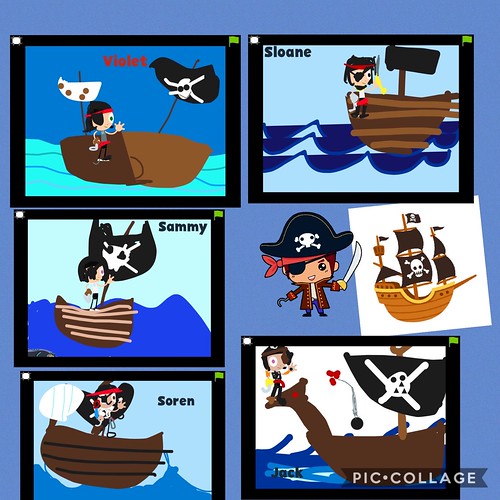
I have enjoyed doing camps whether at Cassidy School in Oklahoma City or here at Providence Day in Charlotte. The culture of summer camp tends to be oriented more towards elementary age, and you can look at it as babysitting in some ways — parents want enriching things for their kids to do. But I’ve done camps focused on coding, Minecraft, and media creation where we’re making webpages, working in Canva, and giving students an opportunity for real free play with technology — with some structure built in.
Shelly: Pardon our dog — he’s excited we’re outside. Camps have been a sandbox place to try and develop new lessons and see what works with kids. Parents sign kids up because it’s something they think their students will be interested in, and that’s always helpful when you’ve got a classroom full of students who want to be there.
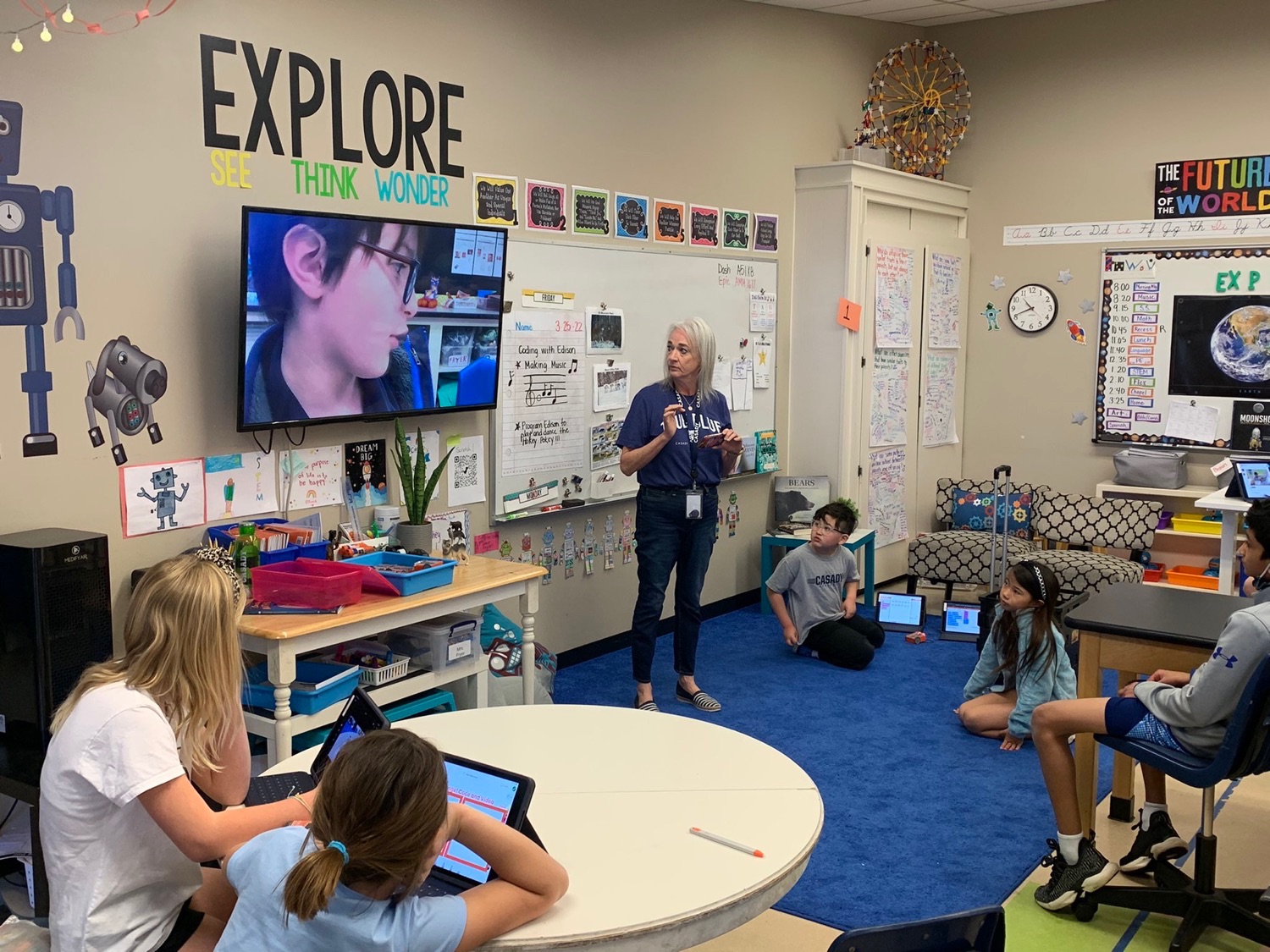
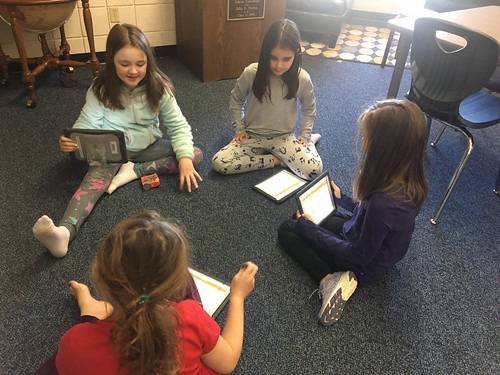
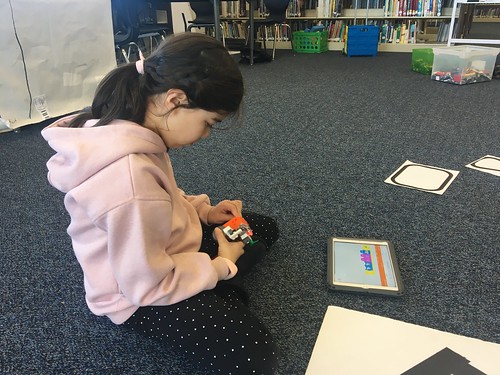
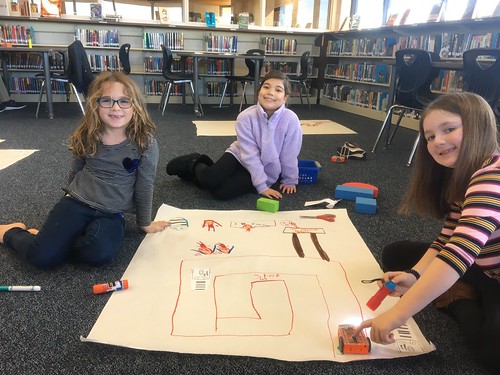
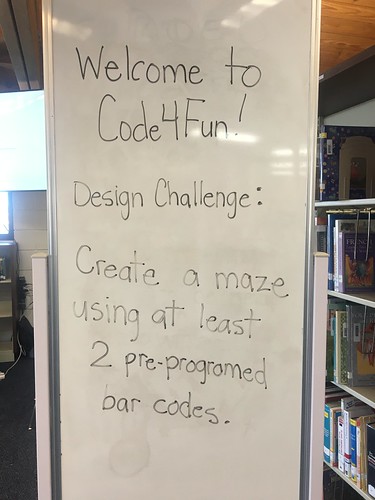
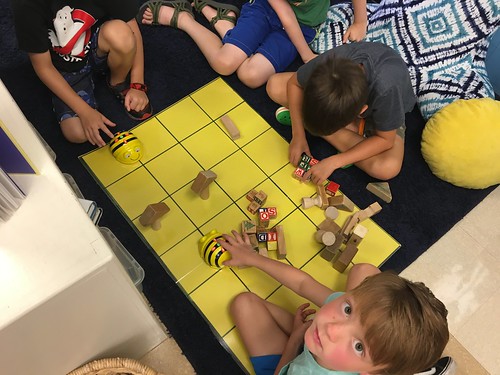
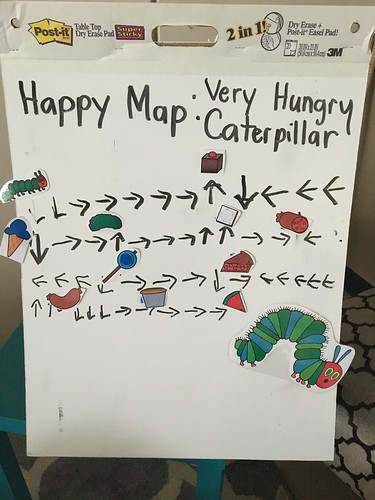
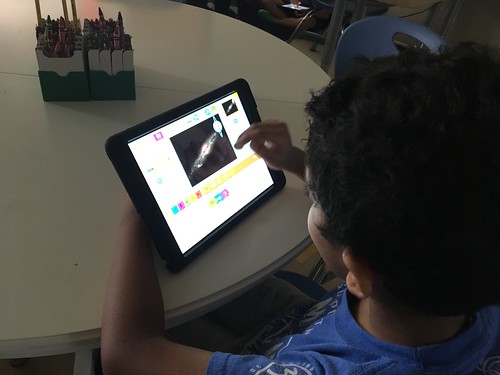
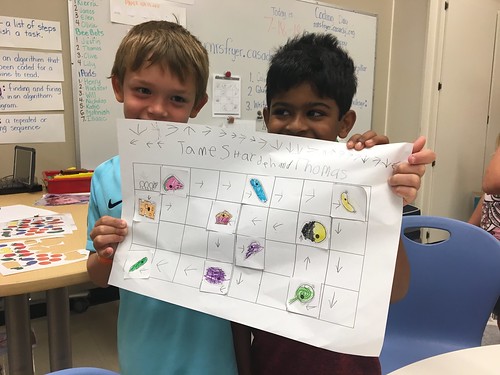
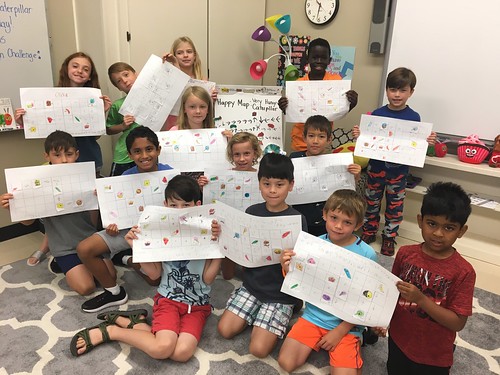
When I first started doing STEM camps, I was in a one-to-one iPad situation and had taught with iPads quite a bit. I really got into coding — especially coding with young children. I was a code.org trainer and enjoyed providing opportunities for students to do offline coding and physical computing: learning how coding works by creating algorithms, but in a fun and active way, not just on a computer. I also got pretty involved in Scratch and Scratch Jr. with PBS. My very first camp this year is actually a Scratch Jr. Coding Adventures camp, and I’m really excited to get back into that.
Since being here in North Carolina, I’ve gotten involved with Science Olympiad, and I really love volunteering for that and learning about rockets and innovation challenges.
Professional Development and Creativity in Learning (17:33)
Wes: Our own professional development has been a big part of this too. When we were in Oklahoma, Shelly became an Oklahoma A+ Schools fellow, and I had multiple opportunities to participate at their events. Oklahoma A+ Schools came from North Carolina — it was a statewide initiative to integrate the arts and creativity across all disciplines. They hosted the World Creativity Forum back around 2010. All of that really encouraged a multidisciplinary approach to learning and the idea that creative arts aren’t just for the fine arts department — they could be done in social studies, in science, in math.
Summer camp offers a very open-ended opportunity: “What should we do at camp?” Let’s reflect a little bit about what we did last year and what we learned, because many private and independent schools have summer programs. Ours is quite extensive — you can go to summer.providenceday.org — though that website rolls over each year so it only shows current camps.
I really enjoyed the format of a half-day camp. Three hours is pretty good. We have a break and the kids get a snack. I learned to mostly focus on the younger kids — I teach middle school, but the culture of summer camp here is really oriented more towards elementary age. I appreciate all the logistics and organization being taken care of for us, and our school has a fair and generous revenue-sharing arrangement with teachers.
On a technical note — last summer I set up my own domain and accounts for Minecraft. You don’t have to be a school in order to have your own Minecraft Education accounts. Getting accounts sorted and computers logged in and ready before kids arrive is really important — whether it’s adults or kids, dealing with accounts and passwords can be a major barrier to getting anything done. This year I’m hoping to have some middle school helpers to assist, and that’s something I’m really looking forward to — middle and high school students being involved as counselors and assistants is a great aspect of camp at our school.
Shelly: We were actually a little late getting our camps in last year, and in some ways that was helpful — it was our first year in this format here. I was surprised at how many non-Providence Day students we had. We get a lot of students from the Lansdowne area where the school is located, and we got a lot of kids whose grandparents signed them up when they were visiting. So a lot of kids came in not knowing each other. That meant we had to build in some community time, which is something Wes and I love to do anyway.
My camps all involve working with partners, and group work can be very hard for young kids. Having time to get to know each other, setting up some boundaries on how to work with a partner, being responsible for materials — camp is like a mini classroom situation. But it’s also way different than being in school because it is about fun and being active. It is summer, and there needs to be some time to get a snack or play on the playground.
Being very specific in camp descriptions is something we’re learning along the way — students and parents need to know exactly what they’re going to do and learn. But I also know that sometimes parents are choosing a camp based on what’s offered at the time and what fits their schedule. Anyway, I think being very intentional about your camps, but open to having fun and making friends, is really important.
Computational Thinking and Screen Time (26:38)
Wes: I want to say a couple words about computational thinking before we go to halftime.
The camps we do are not just play camps. There are some Minecraft camps where it’s literally just come play Minecraft and there’s really not much in the way of a lesson — just free playtime, which can be fine.
Shelly: It’s like recess — learning how to control yourself, how to not be upset when things don’t go your way.
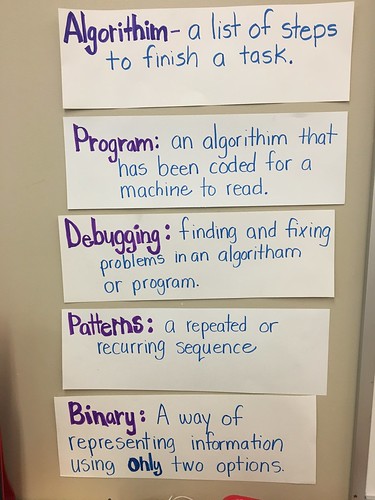
Wes: Yes, playing games involves so many different social skills that kids need to practice. But computational thinking is a through line for all of the coding activities we do, whether it’s offline coding, Minecraft coding, Scratch coding, or whatever. It’s different from just making art. Coding is: does it work? Can you make your sprite or your character do what you want it to do? You’re problem-solving, you’re thinking algorithmically.
Today, living into this age of artificial intelligence, I’m increasingly aware of how important clear communication is — but also the ability to iterate, to explain something differently, to ask for a change. I’m doing this constantly using different AI platforms now. I’ve just actually reached a pretty big milestone with a project called Podcommons, and it’s just unbelievable to me what I’m now able to create with my coding partner AI.
Part of the reason we want kids to be with teachers — hopefully good teachers — is to learn how to think, how to analyze, and how to communicate. Because if we’re going to live in this world, we’re going to face challenges and problems, work with other people, navigate conflict. I really love helping kids experience success when it comes to coding and computational thinking — having agency over the computer.
We’ve got a lot of pushback today — thank you in part to Jonathan Haidt and others — against screen time and the role of screens. And no doubt screens have had a huge impact on our society and culture, and not all of it is good. But all screen time is not created the same. When a student is building a game where other people are playing it and giving them feedback — that process can be very invigorating and really challenging from a thinking standpoint. We’ve heard Gary Stager talk about “hard fun,” and that is one of the things we try to give kids. So let’s go to halftime.
This Summer’s Camps: Shelly’s Lineup (31:40)
Shelly: Welcome back. Now we’re going to talk about our specific camps this summer — what we’re looking forward to, what we’re hoping to accomplish, maybe some things we’ve changed from last year.
I’ve talked a little about my Lego camps. These are camps I’ve done before with my extended day program, so they’re actually full — a class of 12, which is what I can manage without hiring an assistant. I like to build in some learning and then creative building challenges with that.
My other camps — I’m repeating a camp from last year: Rockets and Design. I’m doing mornings with grades 2-3 and afternoons with grades 4-5. My younger camps tend to fill up more quickly. Older elementary students are also into sports, so a lot of them gravitate to sports camps.
I loved my Rockets and Design camp. Last year we built a different rocket every day, and we’ll probably do that again. These are not kits — we’re exploring the science of physics through the rockets we’re building: the purpose for a fin, the purpose for a nose cone, the history of rockets. I’ve been working with Science Olympiad teams on different rocket challenges, including water bottle rockets, which are so fun. After we build our rockets, we launch them — high energy and really fun. I would love to have more incoming fourth and fifth graders in that camp, and especially more females. A lot of my STEM camps attract fewer girls, which is something I’m always thinking about.
Wes: Were you talking about the design process?
Shelly: Yes, thank you. The design process is central to another set of camps — my Innovation and Design camps. With the younger students, we’re building things like bridges and boats, testing them, iterating and changing our designs. Catapults too. With the older students, grades 4 and 5, it’s an Artemis camp — and this year it’s even more fun because of the Artemis II mission and all of the publicity it’s gotten. We take it from the rocket to the space capsule, to the heat shields, to the parachutes — exploring a lot of those designs and then creating our own.
My newest camp this year is Super Sleuths. Our daughter-in-law is a forensic scientist with a specialty in DNA, and Science Olympiad has some great forensic events. I paired up with a good teaching friend of mine who loves breakout rooms and escape rooms. We’re teaming up to do forensic things like fingerprints, finding strawberry DNA, and chromatography — analyzing inks and what they do. She’s going to focus on code breaking, problem-solving, and puzzle challenges, and then on the last day of camp we’re going to do a big breakout room. I’m super excited about that one.
This Summer’s Camps: Wes’s Lineup (36:18)
Wes: You can go to camps.shellyfryer.com and see all of our camps. It’s very easy to filter — you can see which camps Shelly is teaching, which I’m teaching, what grade levels they’re for. We’ve also got our emails on there if you want to reach out with questions.
Shelly’s current website for sharing lessons and curriculum is classroom.shellyfryer.com. The rocket camp curriculum from last year is up there. Back in February, she was able to lead a wonderful Sunday activity for Buddy Mentor — a great group our friend Kimbo leads — where we built water bottle rockets and launched them in the park. So fun.
The camps I would love to have more students sign up for are for rising 3rd through 5th graders. In session three, the third week of June (June 15-18), I’m doing Amazing Animal Websites and Minecraft Coding in Space. When I do a Minecraft coding camp, it’s good to give kids some opportunities to see what others have built and what’s possible — but the most fun is usually in the building and constructing themselves, having challenges.
For at least four years here, and even before when I was teaching middle school in Oklahoma City for three years, I was using Minecraft and exploring this idea of a Mars outpost — how can we build on Mars? Tying in learning about Artemis and the space program, there are so many wonderful videos and content to build on. Where do kids learn about this if they don’t take a space camp or go to Space Camp in Huntsville, Alabama, or Kennedy Space Center in Florida? Both Shelly and I feel like it’s a wonderful thing to share our love of space and exploration.
I’m also excited to do the Amazing Animal Website camp again. Kids love animals, and teaching kids to have agency over the creation of media projects is really fun. They get to choose an animal — one they probably already know a lot about — and build a webpage around it.
For the first time, I’m doing a Wizarding Minecraft Build Camp (June 22-26, session four). Harry Potter is still, even though the movies and books are old now, generating a lot of interest. I’m going to have kids sort into the house of their choice and it’ll be a mix of experiencing some pre-built wizarding environments — castles and things — and then exploring some of the potions and alchemy elements of Minecraft. I love using the education version because as a teacher you have superpowers: you can allow or disallow fire and TNT, suspend the day cycle, easily teleport all the kids to follow you to different places, and use boundary blocks. In my ideal world, I might get some former students who really love Minecraft to help build some environments in advance — that was really fun when we did it for camps at Cassidy and during COVID online camps.
The camp that’s going to stretch me the most is Minecraft Mini Game Coding (July 6-10, session six). Kids love games — boys and girls both. I have the opportunity to teach our middle school computer programming class, and one of my lessons there is creating mazes and maze games. I’ve kept track of some of the best student projects over the years and have a whole showcase. A mini game — something quick and short — this will be the first time I’ve offered that.
I’m going to provide students with some different scripts they can use and modify, because most of the kids who come in are not going to have had a lot of open-ended coding experience before. I think code.org is good and valuable, but many of those lessons are quite prescriptive — you can walk through a tutorial and be “successful” without really being able to think: how do I make an aquarium game where I’m swimming around and there are different fish and I get points for touching them? The open-ended nature of this is what I love. The phrase I like is low bar, high ceiling — giving kids a challenge that doesn’t have a lot of complexity to start, but you can really take it far and be creative.
The last camp is Game Coding with AI, and that one I really have to work on. We license Flint at our school, but many of these campers are coming from outside of our school and won’t have those logins. I’m going to have to figure out whether I’m building my own vibe-coded AI API tool, or how exactly I’m going to let kids interact with AI safely to get code and feedback on their code. That camp is about half full with nine students, and sometimes it’s nice to have a smaller group — you can provide everybody with more individual feedback.
I have learned so much about teaching with artificial intelligence and AI. In addition to Flint, our students have access to NotebookLM and Gemini within our school Google Workspace.
Professional Development in Oklahoma (46:05)
Shelly: Wes and I have an opportunity to go to Oklahoma and work with a school we’ve worked with before. It is a Cherokee Immersion school — the teachers are Cherokee, the students are Cherokee, they speak the Cherokee language. It’s a wonderful opportunity. It’s through a grant, and we’re going to do a three-day STEM camp, working in the mornings with lower school age teachers and in the afternoons with middle school age teachers.
We’re going to do some rocket and space activities, pulling from things we’ve done with students in the last few years. It’s always interesting working with teachers, especially on these kinds of activities. I find teachers are not always as open to building and making and thinking creatively. It’s a mixed bag — sometimes they really get into it, and other times they’re a little resentful of having to be there, wishing they could be doing other things. It’s a challenge working with adults.
We want to have something they can readily take back and do with their students. We’re not introducing a whole new curriculum, but more a way of thinking — how to fit more STEM, and especially culturally relevant things that are going on in our world right now, like space being a reality. Maybe introducing some of those things so that teachers can share them with their kids.
One thing I’ve learned about students is that in order to go into STEM fields, they really need to be able to see themselves in that. “Oh, wow — it is possible for me as a female to become an engineer and maybe go work for NASA.” We want to take those ideas into this community where students and teachers may not see themselves in some of these advanced STEM opportunities. We’re very excited and very humbled to be working on this, and to get back to Oklahoma to do it.
Wes: The design process may be a common thread. We’re really going to be doing three three-hour sessions — a different group in the morning and afternoon. The design process and learning how to think about a problem, interview people, break it down, try to identify what we can address, prototype it, build it, get feedback, measure things, and then circle back for more feedback.
The d.school at Stanford is a major proponent of design thinking, and most STEM departments are going to have some version of a design process they encourage students to use. I think we’re going to try to introduce teachers to a variety of things but be hands-on. The rockets are always fun, and getting them to have their own rocket launcher would really be cool.
In professional development, I’ve learned there’s a lot of value at the awareness level — “Hey, this is possible, look at this, I’m going to show you this.” But especially in the summer, in terms of impact, the doing matters most: “Here, let’s be students. We’re going to do this lesson together.” Each day we’re definitely going to have that kind of build-it experience, but then also collect media about it, reflect on it, and practice some skills in a STEM lesson that could be transferable to other contexts.
How to Connect and Register (50:49)
Shelly: I absolutely would love to hear from people with their ideas or maybe their experiences with Legos, with design engineering, with rockets. If you’ve had experience with Science Olympiad, I would love to hear back about that. These are my passion projects, and I love taking things and improving them, changing them, adding to them. I love connecting with other people who are passionate about space education and making things with other students and teachers. I would appreciate learning from you. Please reach out if you have any questions.
Wes: You can visit camps.shellyfryer.com — both of our email addresses are on there, along with live links to the registration pages. They do maintain waiting lists in the event that somebody drops out or there’s a change in a camp. You can also contact me by visiting wesfryer.com/contact, where I have a Google form. And if you’re seeing this on Facebook, you can always leave a comment there.
Thank you for listening. We hope you’ll subscribe to Wes and Shelly Share — you can find all of our episodes at shellyfryer.com/podcast or at podcasts.wesfryer.com, which is my PodCommons project, with all five podcasts I produce, including Wes and Shelly Share right there at the top.
Until next time: speak curious, go outside — and have adventures!
Subscribe to Wes and Shelly Share on Spotify or wherever you listen to podcasts. Find all episodes at shellyfryer.com/podcast and podcasts.wesfryer.com.Share